KineMaster Official Features 2026
KineMaster has been a staple of mobile video editing for over a decade, and with more than 650 million downloads globally, it remains one of the few apps that bloggers, You Tubers, and social media creators return to again and again. In 2026, the app has continued evolving with AI-powered tools, sharper export options, and updates aimed squarely at short-form platforms like YouTube Shorts and Instagram Reels. Here’s a full breakdown of where KineMaster stands today.
Core Editing Tools That Still Set It Apart
At its foundation, KineMaster remains a genuinely professional-grade mobile editor. It supports true multi-layer timeline editing, letting users stack video clips, images, text, effects, and audio across unlimited layers for detailed compositing — a feature many competing mobile apps still don’t offer at the same depth. Chrome key compositing, blending modes, and audio envelope controls are all available without a subscription, which is notable given that several rival apps lock similar tools behind a paywall.
Key frame animation is another standout — letting creators animate text, titles, and graphic assets along custom paths for precise, professional-looking motion, rather than relying on generic preset animations. Combined with instant audio normalisation, which automatically balances sound levels across clips, and over 100 real-time audio effects, Kine Master’s editing toolkit remains deep enough to satisfy creators who’ve outgrown simpler apps.
KineMaster 8.1: A Major Text and Speech Update
One of the bigger updates this year arrived with KineMaster 8.1 in March 2026, which introduced a redesigned text interface built for faster, more flexible caption and title work. Alongside it came Word Swap animation, letting individual words animate in and out of a sentence for the kind of dynamic, word-by-word text style popular in short-form content, and integrated Text-to-Speech tools that let creators generate narration directly inside the app without recording their own voice.
AI Features: Auto Captions and Background Removal
KineMaster’s 2026 road map has leaned increasingly into AI-assisted tools, most notably Auto Captions, which automatically generates and syncs captions to spoken audio — a major time-saver for creators making content for platforms where captions significantly boost watch time. AI-powered Background Removal was also added, letting users isolate a subject from its background without a physical green screen, similar to tools now standard across most modern editing apps.
Built for Short-Form Platforms
A lot of KineMaster’s 2026 attention has gone into optimising for where most creators are actually publishing. The app’s official guidance recommends exporting YouTube Shorts at up to 4K resolution using its Super Resolution tool for extra sharpness, while Instagram Reels exports are optimised around Full HD 1080p using the H.264 format for the best balance of quality and compatibility. These aren’t just generic export presets — they’re tuned recommendations meant to match what each platform actually compresses and displays best.
Desktop and Workflow Expansion
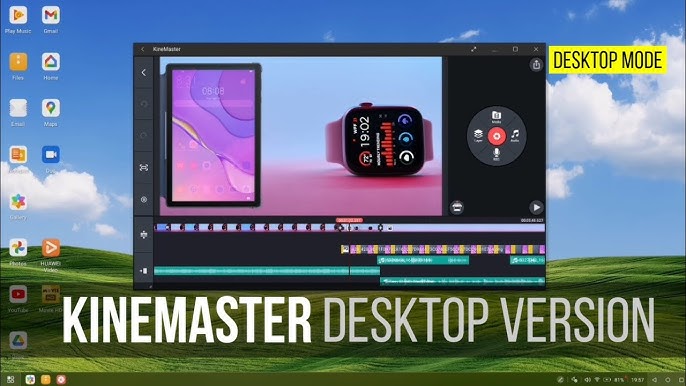
KineMaster has also pushed beyond pure mobile editing this year. In March 2026, the app expanded its desktop capabilities, supporting 4K multi-layer editing with dedicated desktop hotkeys — a clear signal that KineMaster is positioning itself as a cross-device tool rather than a phone-only app. On the workflow side, the company has also promoted using KineMasterGPT for storyboarding video ideas before jumping into the actual edit, treating pre-production planning as part of the broader creative pipeline rather than something handled entirely outside the app.
Where It Still Falls Behind
KineMaster isn’t without gaps. Compared to newer competitors like Fillmore Mobile, it still relies on a fairly basic built-in stock library with no AI music generation feature, meaning creators typically need to source their own soundtrack elsewhere. It also requires downloading individual assets — stickers, transitions, effects — before use, rather than having everything available instantly, which can slow down editing on a spotty connection.
Free vs. Subscription
KineMaster continues to offer a genuinely capable free tier, though it comes with a watermark and some export limitations. The subscription removes the watermark, unlocks premium asset packs, and enables higher-resolution export options. As always, it’s worth downloading and subscribing only through the official Google Play Store or Apple App Store listing — versions distributed elsewhere claiming “premium unlocked for free” are unauthorised modifications that carry real security risks alongside the legal issues.
Final Thoughts
KineMaster in 2026 still holds its ground as a genuinely capable mobile editor, particularly for creators who want deep timeline control without switching to desktop software. The addition of AI captions, background removal, and platform-specific export tuning keeps it competitive, even as newer apps continue pushing harder on built-in AI generation tools.