Hypic Photo Editor 2026
Scroll through Instagram, TikTok, or Interest long enough in 2026, and you’ll start noticing a pattern in how effortlessly polished some everyday photos look — smooth skin, punchy colour, backgrounds that vanish with zero jagged edges. A lot of that comes down to one app quietly dominating mobile photo editing this year: Hypic. Developed by Byte Dance (the company behind TikTok and CapCut), Hypic has grown fast by leaning almost entirely on one thing — AI doing the heavy lifting so you don’t have to.
What Makes Hypic Different
Most traditional photo editors ask you to manually drag sliders for exposure, contrast, colour balance, and sharpness until something looks right. Hypic flips that workflow. Instead of starting from a blank editing panel, you tap one button and the app’s AI analyses the photo and applies an intelligent enhancement automatically — while still leaving room for manual fine-tuning if you want more control. That single design choice is a big part of why Hypic has become popular with people who want professional-looking results without actually learning professional editing.
Core Features Worth Knowing
AI-powered enhancement. With a single tap, Hypic can clean up lighting, sharpen detail, and balance colour — genuinely useful when you’re editing quickly and don’t want to fuss over settings.
Smart portrait tools. Hypic includes retouching features built specifically for faces — smoothing skin, adjusting facial features, and cleaning up blemishes — while aiming to keep results looking natural rather than obviously over-processed. This has made it especially popular for selfies and profile photos.
Background removal and replacement. One tap isolates the subject from the background, making it simple to create transparent cutouts or swap in a new backdrop entirely — a feature that used to require far more manual masking work in traditional editors.
AI art and style transfer. Beyond straightforward photo editing, Hypic can reimagine a photo as a painted or illustrated piece using AI art generation, letting users turn ordinary photos into stylized artwork without any drawing skill.
Filters and templates. The app includes a constantly refreshed library of filters — from retro film grain to soft, “clean girl” aesthetics — along with ready-made templates for Stories, photo dumps, and vlogs, so content is ready to post rather than needing extra formatting elsewhere.
Batch editing and collages. For creators managing lots of images at once, Hypic supports applying the same edits across multiple photos simultaneously and combining several images into customizable collage layouts.
Who It’s Actually Built For
Hypic’s biggest strength is accessibility. The interface is intentionally simple — drag-and-drop tools, guided templates, and one-tap AI actions mean beginners can get a polished result on their first try, without watching tutorials or understanding what “curves” or “clarity” even mean. That said, it still offers enough manual control — exposure, saturation, hue adjustments — to satisfy users who want to fine-tune beyond the automated presets.
This combination makes it a natural fit for a fairly wide range of users: casual phone photographers cleaning up personal photos, content creators building a consistent aesthetic across a feed, and small business owners who need product photos to look sharp without hiring a designer.
Free vs. Premium
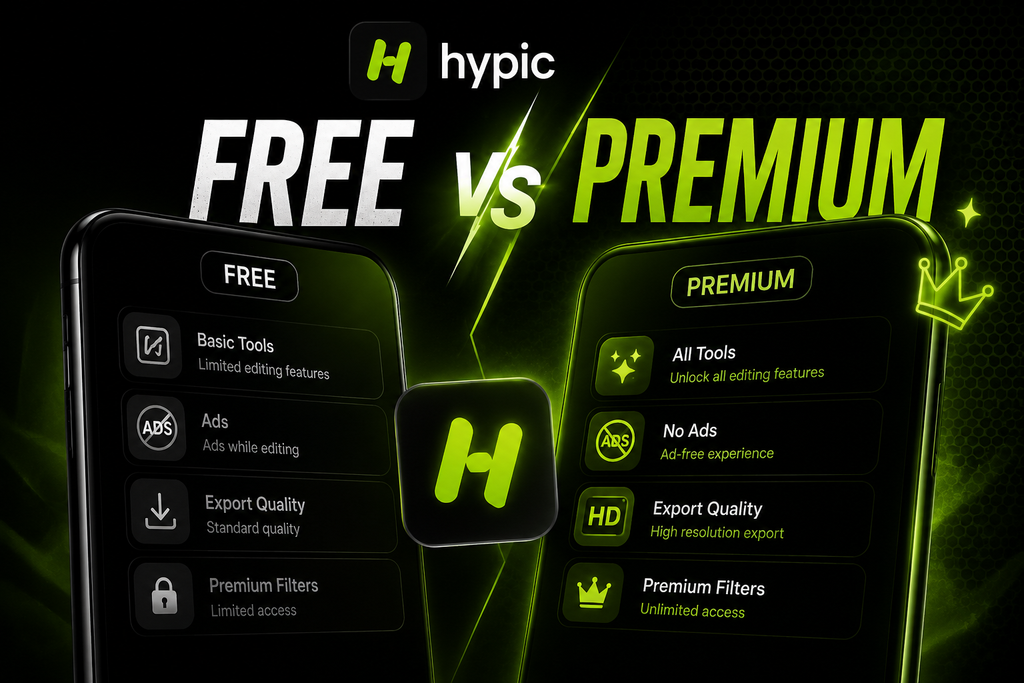
Hypic operates on a premium model — the core editing tools, many filters, and basic AI features are available for free, which is more than enough for casual, everyday editing. A premium subscription unlocks additional extras, such as expanded filter and template libraries, higher-resolution exports, and some advanced AI tools. For most casual users, the free tier covers the essentials well; the premium tier mainly makes sense for creators who are editing frequently and want the full range of styles and export quality.
It’s worth downloading Hypic only through official channels — the Google Play Store or Apple App Store — rather than third-party APK sites. Versions distributed outside official stores are frequently modified to claim “unlocked” premium features, and beyond the legal issues with that kind of distribution, these files often come from unverified sources with no guarantee of safety for your device or data.
Final Thoughts
Hypic represents a broader shift in mobile photo editing — away from manual, skill-dependent workflows and toward AI-assisted tools that get you 90% of the way there in seconds. Whether that’s the right approach depends on what you’re after: if you want a fast, natural-looking edit without a learning curve, Hypic delivers exactly that, and its growing popularity in 2026 suggests a lot of people feel the same way.