Inshot Pro Official Features 2026
InShot has been one of the most reliably popular mobile editing apps for years, prizes for how quickly it turns raw phone footage into something polished enough to post. The free version covers a lot of ground on its own, but InShot Pro — the app’s official paid subscription — unlocks a noticeably deeper toolkit in 2026. Here’s a full breakdown of what you actually get.
Watermark-Free, Higher-Resolution Exports
The single most requested upgrade among Inshot users has always been removing the small InShot watermark that appears in the corner of free exports. A Pro subscription removes it entirely, which matters a lot for anyone posting content professionally or for a brand, where a competitor’s watermark on your video looks unpolished. Alongside that, Pro unlocks export at up to 4K resolution and higher frame rates, giving creators noticeably sharper output — a meaningful jump from the resolution caps free users are stuck with.
AI-Powered Editing Tools
2026’s version of InShot Pro leans heavily into AI-assisted editing, mirroring where most major editing apps have moved this year. This includes AI-based background removal that can isolate a subject without needing an actual green screen, automatic colour enhancement and correction, and AI-driven face and body adjustment tools for more precise portrait editing. These tools are designed to cut down the time spent on tasks that used to require manual masking or frame-by-frame colour grading.
Chroma Key and Background Replacement
For creators who do want a true green-screen workflow, InShot Pro’s Chrome Key tool lets you swap out a solid-coloured background for any scene — a cityscape, a studio backdrop, or a fully custom image. The tool includes fine-tuning controls for transparency and edge detection, so the final cutout looks clean rather than jagged around the subject’s edges. This feature alone puts InShot in a similar league as more advanced desktop tools, just accessible entirely from a phone.
Multi-Layer Editing and Keyframing
Where the free version is more limited, InShot Pro supports true multi-layer editing — stacking multiple video clips, images, text elements, and effects on top of one another to build more complex compositions. Paired with key frame controls, which let you animate the movement of text, stickers, or overlays over time, this gives Pro users a level of creative control that starts to approach what dedicated desktop editors offer, without leaving the mobile app.
Expanded Effects, Filters, and Transitions
The Pro subscription also unlocks a significantly larger library of filters, transitions, and animated stickers compared to the free tier. This includes premium cinematic filters, smoother and more varied transition styles, and seasonal or trend-driven sticker packs that get refreshed regularly. For creators making frequent content, having a wider effects library on hand cuts down the need to reuse the same handful of free-tier looks repeatedly.
AI Voiceover and Audio Tools
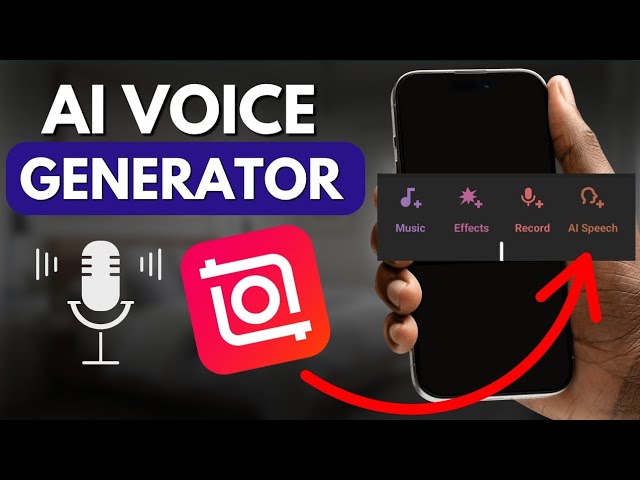
A newer addition in 2026 is AI-powered text-to-voice narration, letting users type a script and generate a natural-sounding AI voice over directly inside the app — a feature that’s become especially useful for short-form explained content, faceless channels, and quick product videos. Combined with InShot’s existing noise reduction and audio-mixing tools, this rounds out a fairly complete audio workflow without needing a separate app.
Is InShot Pro Worth Paying For?
Whether the subscription makes sense really depends on how often you’re creating. Casual users posting the occasional video may find the free tier’s watermark and resolution limits perfectly tolerable. But for anyone creating content regularly — small businesses, social media managers, or creators building a consistent feed — the combination of watermark-free 4K exports, multi-layer editing, and the expanded effects library typically pays for itself in saved editing time alone.
It’s also worth downloading and subscribing only through the official App Store or Google Play listing. Versions distributed outside official channels claiming to offer “unlocked” premium features for free are unauthorised and carry real security risks, since there’s no way to verify what else those modified files might contain.
Final Thoughts
InShot Pro in 2026 isn’t just about removing a watermark anymore — it’s evolved into a genuinely capable AI-assisted editing suite that competes seriously with apps like Cap Cut for everyday content creators. For anyone editing consistently, the subscription’s toolkit is built to save real time, not just add a few cosmetic extras.