Lightroom Mobile Presets in 2026
If your camera roll is full of great shots that somehow still look flat, the fix probably isn’t a better camera — it’s editing. Lightroom Mobile presets have become one of the fastest ways to turn an average phone photo into something that looks genuinely professional, and in 2026 the tools and trends around them have gotten more sophisticated than ever. Here’s a full breakdown of what presets are, what’s trending, and how to actually use them well.
What a Preset Actually Is
A Lightroom preset is essentially a saved recipe of edits — exposure, contrast, colour tones, shadows, highlights, and more — bundled into a single tap. Instead of manually adjusting a dozen sliders every time you edit a photo, you apply a preset and get a consistent, polished look instantly. This is exactly why presets have become a staple for photographers, influences, and everyday content creators who need to edit quickly without sacrificing quality.
Presets typically come in two file formats: XMP for Lightroom Classic on desktop, and DNG for Lightroom Mobile. Most modern preset packs include both, so you can edit seamlessly whether you’re at your desk or shooting and editing entirely from your phone.
What’s Trending in 2026
The editing styles dominating Lightroom Mobile this year lean heavily into a few clear directions:
Film emulation remains the most popular category by far. Presets that replicate classic film stocks — Kodak Portra 400 in particular, known for its creamy skin tones and warm, lifted shadows — are favoured because they preserve natural colour and hold up consistently across different lighting conditions, unlike more extreme stylised looks.
The digicam aesthetic is having a real moment too, recreating the distinctive look of early-2000s digital cameras — slightly blown highlights, punchy over saturated colours, and that unmistakable “over-processed JPEG” texture. It’s become a full nostalgic movement on social platforms rather than a passing trend.
Natural, low-intervention editing is also gaining ground, especially among everyday creators and parents documenting family life. Rather than heavy signalization’s, these presets focus on protecting realistic skin tones and brightening indoor shots without making the photo look artificially edited — a reaction to years of over-processed, overly saturated feeds.
Cinematic color grading, using teal shadows against warm highlights, continues to be popular for portraits and urban photography, borrowing directly from film and movie color science.
Choosing the Right Preset for Your Style
With thousands of preset packs available, the real skill in 2026 isn’t finding presets — it’s picking the right one for your actual photos. A few practical guidelines make this easier:
Match the preset to your lighting. A preset built for golden-hour outdoor shots will often look off applied to a dim indoor photo, even if the colour palette seems appealing in a preview.
Check skin tone accuracy first. If you shoot portraits regularly, test any preset on a few different skin tones before committing to it as your go-to.
Build a small system rather than one preset. A strong personal editing kit usually includes a daylight base, a shadow variation, a skin-optimized version, and a slightly higher-contrast option — giving you flexibility without starting from scratch each time.
Always fine-tune after applying. Presets are a starting point, not a finished edit. A quick exposure or white balance tweak after applying a preset is usually what separates a “good enough” edit from one that actually looks intentional.
Getting Presets Onto Lightroom Mobile
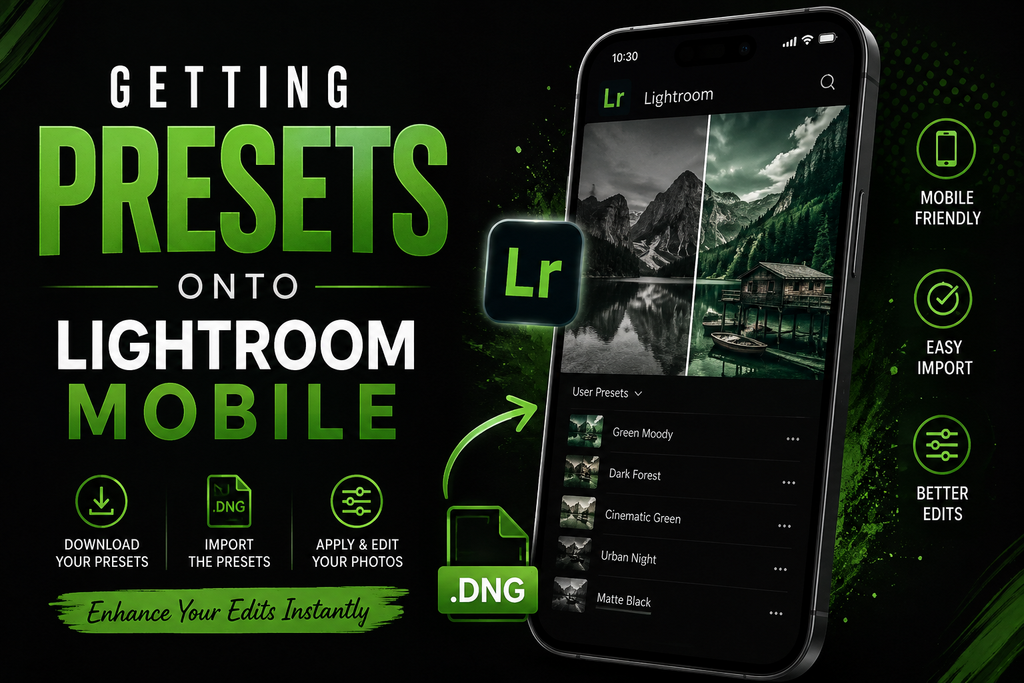
If you’re using presets created on desktop, the easiest method is syncing through your Adobe account — presets created or purchased on desktop Lightroom typically sync automatically and appear ready to use in the mobile app. Alternatively, DNG preset files can be imported directly into Lightroom Mobile without any extra conversion steps.
Free vs. Paid Preset Packs
Free presets have improved significantly and are genuinely usable for most casual editing needs, covering popular looks like film emulation, moody tones, and landscape-focused edits. Paid preset bundles tend to offer more range and refinement — larger libraries organised by theme, more nuanced variations for different lighting scenarios, and often better long-term consistency across a full body of work. For hobbyists, free packs are usually plenty. For creators building a recognisable, consistent visual brand, investing in a well-built paid bundle can be worth the cost.
Final Thoughts
Lightroom Mobile presets in 2026 aren’t just a shortcut — they’ve become a genuine editing language, blending nostalgia for analogue film with the practical demands of fast, social-media-ready content. The best approach isn’t chasing whatever look is trending this month; it’s understanding your own lighting, your subject matter, and building a small, reliable preset system that consistently looks like you.