Alight Motion Official Features 2026
Alight Motion has built a loyal following among mobile creators for one simple reason — it brings desktop-level motion graphics and animation tools to a phone screen. While plenty of editing apps focus on cutting and trimming clips, Alight Motion leans harder into design: vector graphics, precise key frame animation, and layered compositing that rivals what you’d expect from a computer-based editor. Here’s a full look at what the app offers in 2026.
Vector Graphics and Design Tools
One of Alight Motion’s defining strengths is its built-in vector graphics engine. Unlike most mobile video editors that treat graphics as an afterthought, Alight Motion lets users draw custom vector shapes, edit individual nodes and curves, and design original graphic assets directly within the same timeline used for video editing. This makes it a genuine hybrid tool — part animation software, part illustration app — which is part of why it’s become popular not just with video editors but with motion designers building intros, logos, and animated text from scratch.
Keyframe Animation at a Granular Level
Key framing is where Alight Motion consistently stands out from competitors. Users can animate scale, rotation, position, and opacity frame by frame, giving precise control over how an element moves, grows, or fades over time. This level of control lets creators build genuinely smooth, natural-looking animations rather than relying on generic preset transitions — useful for anything from subtle text reveals to more complex motion graphic sequences. Recent updates have also introduced velocity-based motion blur, where the intensity of blur automatically adjusts based on how fast an object is moving, adding a layer of realism that’s normally reserved for professional animation software.
Layered Compositing and Blending Modes
Alight Motion supports full layer-based editing, letting users combine video clips, photos, graphics, text, and audio within a single project while maintaining independent control over each layer. Blending modes — including overlay, multiply, and screen — allow layers to interact visually in creative ways, similar to tools found in Photoshop or After Effects. Chrome key support is built in as well, making it possible to remove and replace solid green or blue screen backgrounds for more advanced compositing work, without needing a separate app.
A Growing Effects and Asset Library
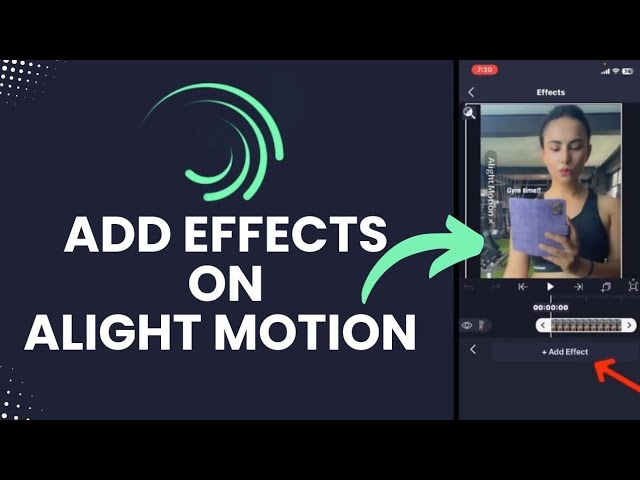
The app’s effects library has expanded significantly, now including well over 150 visual effects alongside a large collection of presets, shapes, and design elements. Recent updates have introduced new effect categories, including hexagon and tile-based transitions, along with refinements to existing favourites like luma key, turbulence, and motion blur — giving users finer, more predictable control over how each effect behaves. Font options have also grown substantially, with thousands of typefaces now available for text styling directly inside the app.
Export Flexibility
Alight Motion supports high-quality export up to 4K resolution, along with flexible format options including MP4 and GIF. Timeline stability and export speed have both been refined in recent updates, particularly for larger, more complex projects with multiple layers and effects — a common pain point for earlier versions when projects grew heavy with assets.
Project Sharing and Collaboration
A feature that sets Alight Motion apart from many mobile editors is its integrated project sharing. Rather than exporting only a flattened video, users can share an entire project file — including every layer, asset, and effect — allowing another Alight Motion user to open and continue editing it exactly where it left off. This has made the app popular for template creators and tutorial communities, where sharing editable project files, not just finished videos, is part of the appeal.
Free vs. Premium
Alight Motion’s free tier includes access to most of the app’s core tools but exports videos with a watermark. The official Premium subscription removes the watermark, unlocks the full effects and asset library, and enables unrestricted export quality. Pricing generally falls in the range of a modest monthly fee or a discounted annual plan, positioning it competitively against other mobile motion graphics tools.
As with any popular editing app, it’s worth downloading and subscribing only through the official App Store or Google Play listing. Versions distributed elsewhere claiming to offer premium features “unlocked for free” are unauthorized modifications, and beyond the legal issues involved, installing software from outside official app stores carries real risk to your device and personal data.
Final Thoughts
Alight Motion in 2026 remains one of the few mobile apps that treats animation and motion graphics as a first-class feature rather than a bonus tool bolted onto basic video editing. For creators who want frame-by-frame control and genuine design flexibility from a phone, it continues to fill a niche that most competing apps still don’t fully match.